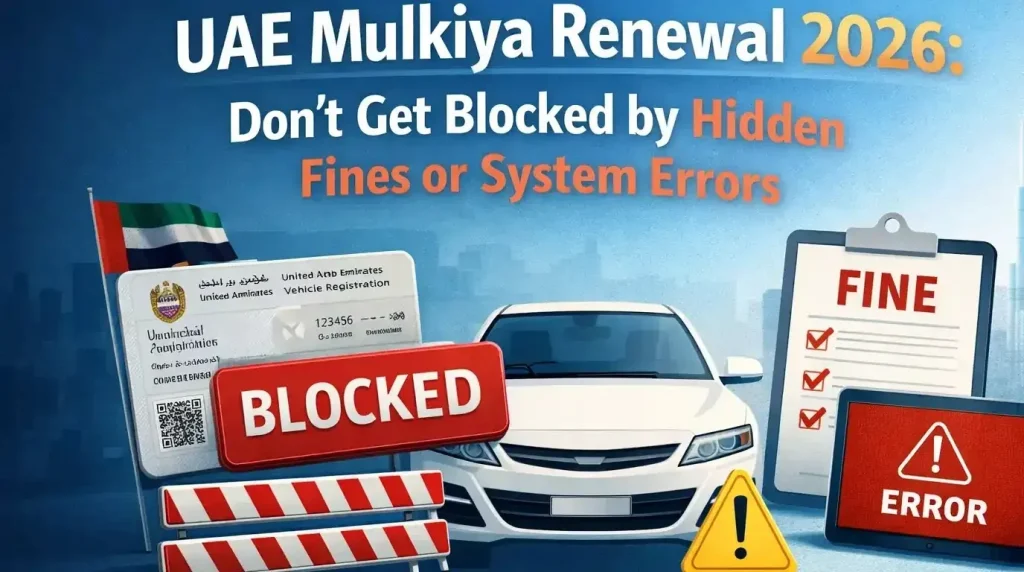
UAE Mulkiya Renewal 2026: Don’t Get Blocked by Hidden Fines or System Errors
Let’s be honest. Your Mulkiya expires soon. You’ve been meaning to renew it. But life gets busy, and suddenly it’s the night before, and you’re staring at your phone, wondering if the system works at 11 PM.
Happens to the best of us. Here’s the thing about vehicle registration renewal in the UAE: it’s usually simple. Five minutes online. Done.
Until it’s not.
Until you click “renew” and a red message pops up: “You have outstanding fines” or “Insurance not found.” Or ‘Inspection required.’ “Then that five-minute task turns into a week of chasing documents, paying penalties, and regretting every delay.
This guide is designed to stop that from happening. Not just the steps. But the stuff nobody tells you is what to check before you start, how to fix common errors, and exactly what to do if you’re already late.
No robot talk. Just real advice from someone who’s been through the process more times than most. Let’s get your car legal again.
What Actually Is Mulkiya Renewal?
Let’s strip away the jargon.
Your Mulkiya is just your car’s official ID. It proves three things:
- The car belongs to you
- It’s insured
- It’s safe to drive
Simple enough.
But here’s the catch: that ID expires every year. And when it does, your car becomes illegal to drive. Not “probably illegal.” Definitely illegal.
What happens when you renew?
Think of it as hitting the refresh button. The government checks:
- Is your insurance still valid?
- Are there any unpaid fines tied to your plate?
- Has the car passed inspection (if it’s old enough)?
If everything looks good, they give you another year. If something’s missing, the system blocks you until you fix it.
Why bother renewing on time?
Besides the whole “driving illegally” thing?
- Fines add up fast
- Your insurance could be invalid if you crash into an expired Mulkiya
- Some employers check this for company car drivers
- Selling the car later becomes a headache
The good news?
It’s not complicated. Most people complete renewal in under ten minutes. The key is knowing what to check before you click that button.
Before You Start: Check These 3 Things First
Here’s where most people mess up.
They jump straight to the renewal page. Enter their details. Click renew. And then “Transaction cannot be completed.”
No explanation. No hint. Just failure.
Turns out there were fines. Or insurance lapsed. Or the inspection expired. And now they’re stuck, frustrated, and no closer to renewing.
Don’t be that person. Check these three things first. Takes five minutes. Saves endless headaches.
1. Check your fines
Unpaid fines are the number one reason renewals get blocked. Go to EVG or MOI. Enter your plate number. See what shows up.
If you’re buying a used car, always check for unpaid fines before handing over any cash; they become your responsibility after purchase.
Any fines? Pay them now. Not later. Now.
Most clear within minutes. Some take a few hours. But they won’t be clear at all if you don’t pay first.
2. Check your insurance
Your insurance must be valid for at least 13 months from your renewal date. Not 12. Thirteen.
Why? Because the UAE regulations require coverage to overlap properly.
Log in to your insurance app or check your policy. Expiring soon? Renew it before touching the Mulkiya. Also, check your driving license status; if your license is suspended, renewal may be blocked.
3. Check if you need an inspection
New cars under 3 years old? Usually exempt. Breathe easy.
Everything else? You’ll need a passing inspection certificate.
- Abu Dhabi & Northern Emirates: Visit any approved testing center
- Dubai: RTA inspection required
- Results are uploaded automatically to the system within hours
Quick rule of thumb
- Fines unpaid? Fix first.
- Insurance expiring? Renew first.
- Inspection due? Pass first.
Then, and only then, start the renewal. It takes an extra ten minutes now. Saves days of frustration later.
Documents You’ll Need
Nothing’s worse than sitting down to renew, ready to finish it, and realizing something’s missing.
You search through messages. Check your email. Dig through the glovebox. Nothing.
Now the simple task becomes a scavenger hunt.
Let’s avoid that.
Here’s exactly what you need before you start:
Emirates ID
Valid and in your hand. The system checks it. Expired ID? Renewal won’t work.
Current Mulkiya
You don’t strictly need the physical card. But have it nearby. You’ll need the plate number and some details from it.
Insurance certificate
A digital copy is fine. Just know your policy number and expiry date. The system automatically checks insurance, but sometimes it glitches. Having the certificate ready helps if you need to call support.
Inspection certificate (if required)
For cars over 3 years old. If you passed recently, the system usually sees it. But keep a copy anyway. Trust no machine.
Plate number
Sounds obvious. But when you’re staring at the screen, tired and rushing, it’s easy to type the wrong thing. Double-check it.
Payment method
Credit or debit card. Most portals accept both. Make sure it has enough limit.
That’s it. Five things. Gather them now. Put them on the table or save them in your phone.
Then, when you sit down to renew, nothing stops you.
Step-by-Step: Renew via EVG (For Abu Dhabi & Northern Emirates)
Alright. You’ve checked fines. Insurance is sorted. Inspection passed. Documents gathered.
Now the easy part.
Step 1: Go to evg.ae
Type it carefully. There are fake sites out there. Stick with the official government portal.
Step 2: Log in with UAE PASS
If you don’t have UAE PASS yet, pause here. Download the app. Register. It takes five minutes, and you’ll use it for everything: government services, police, and even some banks.
Once you have it, scan the QR code or log in with your credentials.
Step 3: Find “Vehicle Services.”
Right on the homepage usually. Can’t spot it? Look for anything about vehicles or registration.
Step 4: Select your vehicle
Your plate number should appear if you’ve logged in with UAE PASS. Click on it.
No vehicle showing? Maybe it’s registered under someone else’s name. Or the system needs a minute. Refresh and try again.
Step 5: Click “Renew Registration.”
Might be called “Issue New Card” or something similar. Read the options. You’ll know it when you see it.
Step 6: Let the system check
It automatically verifies:
- Insurance status
- Inspection results
- Outstanding fines
This takes a few seconds. Wait for it.
Step 7: Pay the fees
The total shows up. Check it matches what you expected. Then enter card details and pay.
Step 8: Download your e-Mulkiya
Done. Instant. Available right there on the screen.
You’ll also have the option to receive a physical card. Choose it if you want. Takes 2 to 5 working days. But honestly? The e-Mulkiya works fine for most things. Keep it on your phone.
Total time: 5 to 10 minutes if everything’s clear.
Pro tip: Screenshot the confirmation page. Just in case.
For Dubai Cars: The RTA Way (Different Process)
If your car has a Dubai plate, forget EVG for a moment. The system just doesn’t work well for Dubai vehicles. You’ll sit there wondering why nothing loads. Spoiler: it’s not you. It’s the system.
Dubai runs its own show. And for renewal, that means RTA. Three ways to do it. Pick whichever suits you.
Option 1: RTA Website (Easiest)
Go to rta.ae. Log in with UAE PASS (yes, the same login works here). Find “Vehicle Licensing.” Select your car. Click renew. Pay. Done.
Takes the same five minutes as EVG. Just a different website.
Option 2: Dubai Drive App (Good for phone users)
Download the app. Log in. Everything’s laid out nicely. You can even save your car details for next year.
Perfect for doing this while waiting somewhere. Coffee shop. Office break. Whatever works.
Option 3: RTA Customer Happiness Centers (If you must)
Some people still prefer face-to-face. Nothing wrong with that.
Find a center near you. Bring:
- Emirates ID
- Mulkiya
- Insurance certificate
- Inspection pass (if needed)
Take a number. Wait for your turn. Get it done. Just know that online is faster. Much faster.
Costs the same?
Pretty much. RTA fees are similar to EVG. Maybe a tiny difference. The website shows the exact amount before you pay.
One thing to watch
Dubai sometimes has additional requirements. Salik balances. Parking fines. Check those too before starting.
Salik: The Dubai Toll System That Can Block Your Renewal
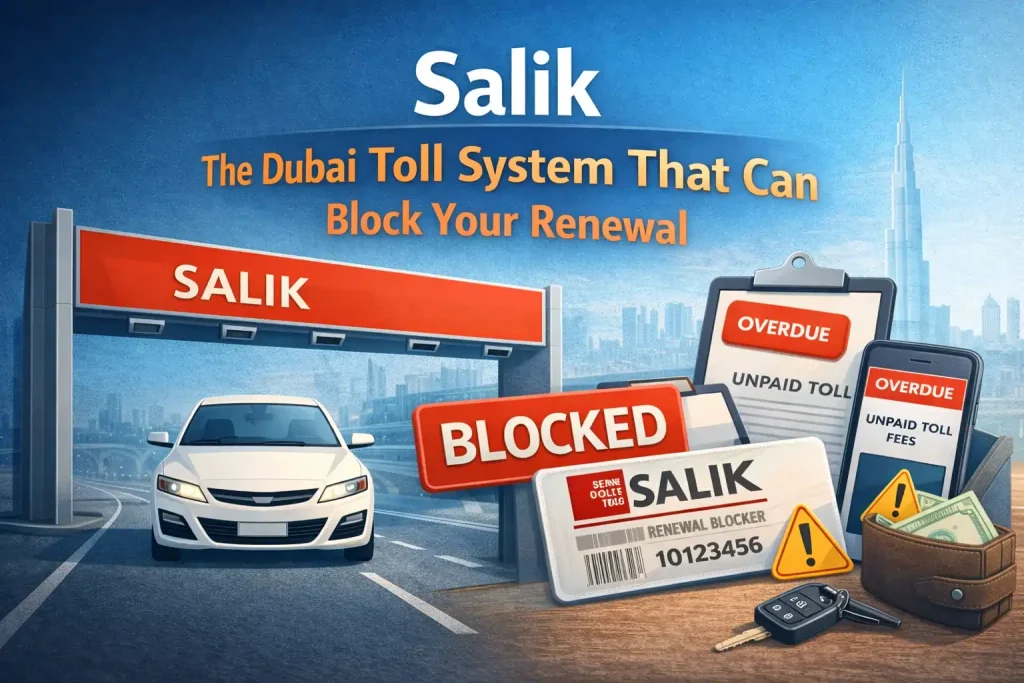
If your car has a Dubai plate, there’s one more thing the system checks that catches people off guard: your Salik balance.
What is Salik?
Dubai’s road toll system. Every time you pass through a Salik gate, 4 or 6 AED gets deducted from your account. Simple enough.
How it affects renewal
When you try to renew your Mulkiya, the RTA system automatically checks two things:
- Do you have any unpaid Salik violations?
- Does your Salik account have a negative balance?
If either is true, renewal gets blocked. Right there. Red message. No renewal until you fix it.
How to check before you start
Option 1: Salik website
Go to salik.ae. Click “Check Balance.” Enter your plate details. See what shows up.
Option 2: RTA website
Log in with UAE PASS. Go to “Vehicle Services.” Your Salik status often appears alongside your vehicle details.
Option 3: Dubai Drive app
Open the app. Find the Salik section. Check balance and any outstanding payments.
What to look for
- Negative balance? Top up now. Minimum 50 AED usually.
- Unpaid violations? Pay them immediately. They clear within minutes.
- Card expired? Update your payment method.
One weird catch
Sometimes the system shows a positive balance but still blocks renewal. Why? Because there’s a pending violation that hasn’t been processed yet. Wait 24 hours. Check again. If still blocked, call RTA at 8009090.
Quick tip
Top up your Salik account before you start renewal. Even if you think it’s fine. 50 AED now saves an hour of frustration later.
Section 2: Darb, Abu Dhabi’s Toll System (Yes, It Can Block You Too)
Location: Insert this right after the Salik section, still before “UAE Vehicle Renewal Fees.”
Darb: Abu Dhabi Drivers Need to Check This Too
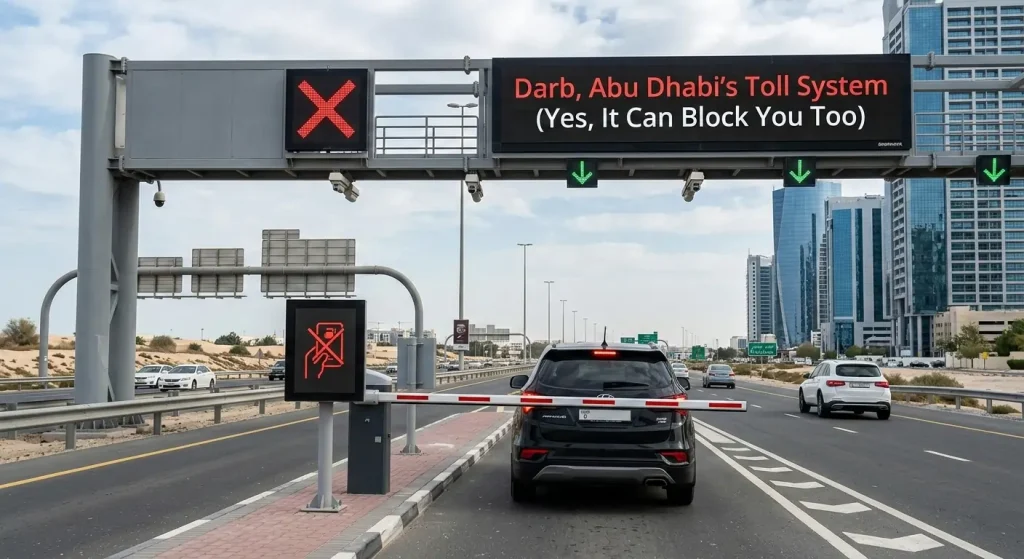
Dubai isn’t the only emirate with tolls. Abu Dhabi has Darb. And if you have an Abu Dhabi plate, unpaid Darb charges can block your renewal just like Salik.
What is Darb?
Abu Dhabi’s toll gate system. Four gates across the city. Each time you pass through during peak hours, a fee applies.
Peak hours: Saturday to Thursday, 7:00 AM to 9:00 AM and 5:00 PM to 7:00 PM.
Off-peak: Free.
Daily cap: 15 AED maximum per day.
How it affects renewal
When you renew through EVG or TAMM, the system checks:
- Do you have any unpaid Darb charges?
- Is your Darb account in good standing?
Unpaid charges? Renewal blocked. Simple as that.
How to check
Option 1: Darb website
Go to darb.itc.gov.ae. Log in with UAE PASS. Your account shows:
- Current balance
- Unpaid trips
- Payment history
Option 2: TAMM app
Download the app. Log in. Find Darb services. Everything’s there.
Option 3: Darb app
Available for iPhone and Android. Same login. Same info.
What to look for
- Outstanding trips from last month? Pay them.
- Negative balance? Top up.
- Auto-payment set up? Make sure your card hasn’t expired.
The grace period thing
Darb gives you 10 working days to pay after each trip. After that, fines start. 25 AED per unpaid trip, capped at 10,000 AED total. Those fines must be paid before renewal.
One tip
Set up auto-pay. Link your card. Never think about it again. Takes five minutes. Saves future you from surprise blocks.
UAE Vehicle Renewal Fees
Let’s talk money.
Everyone wants to know what this costs before they start. Smart move.
Here’s the breakdown by vehicle type. Keep in mind: fees vary slightly between emirates, but this gives you a solid estimate.
Inspection Fees (if your car needs it)
| Vehicle Type | Inspection Fee (AED) |
| Light Vehicle (regular car) | 150 |
| Motorcycle | 150 |
| Heavy Vehicle | 200 |
| Trailer | 150 |
| Classic Vehicle | 420 |
| Quad Bike | 100 |
| Knowledge & Innovation Fee | +20 |
Failed inspection? Re-inspection costs less
| Vehicle Type | Re-Inspection Fee (AED) |
| Light Vehicle | 50 |
| Heavy Vehicle | 75 |
| Knowledge & Innovation Fee | +20 |
Renewal Fees (the main cost)
| Vehicle Type | Renewal Fee (AED) |
| Motorcycle | 200 |
| Trailer & Semi-Trailer | 120 |
| Light Vehicle (private) | 350 |
| Private Vehicle (3–12 tonnes) | 400 |
| Private Vehicle (over 12 tonnes) | 800 |
| Public Vehicle (3–12 tonnes) | 650 |
| Public Vehicle (over 12 tonnes) | 1,000 |
| Bus (14–26 seats) | 300 |
| Bus (27+ seats) | 600 |
| Knowledge & Innovation Fee | +20 |
Quick math example
Driving a regular car? You’ll pay:
- 350 AED renewal fee
- +20 AED knowledge fee
- +150 AED inspection (if needed)
Total: 370 AED without inspection. 520 AED with inspection.
One more thing
That Knowledge & Innovation Fee shows up everywhere. 20 AED per transaction. Annoying? A little. Avoidable? No.
Just factor it in
Just Bought a Used Car? Transfer First, Renew Second
You bought a used car. Great. Now the Mulkiya is about to expire. Can you just renew it?
No. Not until the car is in your name.
The rule
Only the registered owner can renew online. If the car is still under the previous owner’s name, the system won’t let you touch it.
What you need to do first
Step 1: Complete the transfer
Finish the ownership transfer. That means:
- Both parties present (or authorized)
- Original Emirates ID
- Original Mulkiya
- Insurance under your name
- Passing inspection (if needed)
- Transfer fees paid
Before transferring, always verify the vehicle’s history with a VIN check to ensure no hidden accidents or issues.
Step 2: Get the new Mulkiya
Once the transfer is done, you get a new Mulkiya in your name. Instantly, if done online. A few days if in person.
Step 3: Now renew
With the car in your name, renewal works exactly as described. Check fines. Check insurance. Check the inspection. Pay. Done.
What if the transfer is pending but the Mulkiya expires?
Complicated. You cannot renew a car you don’t legally own.
Options:
- Contact the seller urgently
- Visit the traffic department with your purchase agreement
- Ask about temporary extensions for pending transfers
One thing to watch
Some sellers promise to handle renewal before transfer. Don’t rely on this. If they forget, you’re stuck with an expired Mulkiya and no way to fix it. Transfer first. Then renew.
Company Cars: Different Rules Apply
You drive a company car. The renewal process isn’t yours to control. But if it expires, you’re the one driving illegally.
Who handles renewal?
The company’s fleet manager, PRO, or admin team. They have access to the company’s UAE PASS.
What you need to do
Step 1: Ask early
Two weeks before expiry: “Is the Mulkiya renewal in process?”
Step 2: Confirm everything is clear
Check yourself:
- Fines on this plate? (EVG or MOI)
- Is insurance valid? (Ask them)
- Inspection needed? (Check Mulkiya date)
Step 3: Follow up
If the expiry passes and nothing changes, follow up again. Nicely. A gentle reminder saves you from driving illegally.
Can you renew it yourself?
No. Not without company authorization. Your personal UAE PASS won’t work.
Unless the company adds you as an authorized user. Then the car shows in your UAE PASS dashboard. Then you can renew it like a personal vehicle.
What if the company is slow and the Mulkiya expires?
Tough spot. You can’t renew it. They must. But you’re driving.
Options:
- Stop driving until renewed
- Document every reminder
- If stopped, explain calmly. Some officers understand. Some don’t.
One tip
Send reminders at 30 days, 15 days, and 7 days before expiry. Annoying Maybe. Better than driving illegally.
Classic Cars: Special Rules for Vintage Vehicles
Got a 1970s Land Rover or vintage Mercedes? The rules change.
What counts as a classic?
Usually:
- At least 30 years old
- Original condition
- Not a daily driver
Check your emirate’s exact definition.
Inspection is different
Classic cars need a specialist inspection.
Where to go:
- Dubai: RTA Classic Car Testing Center (appointment needed)
- Abu Dhabi: Some Tasjeel centers have classic inspectors
- Northern Emirates: Ask your local center for approved locations
They check:
- Originality (mostly original parts?)
- Roadworthiness (safe to drive?)
- Authenticity (no modern mods)
Fees are higher
Classic inspection: Around 420 AED
Re-inspection: 50 to 100 AED
Renewal fees: Similar to regular cars (check your emirate)
Insurance is different, too
Normal insurance may not cover classics. Ask your provider. If they don’t, search for specialist classic car insurance.
Number plates
Some emirates offer special “classic” plates. Ask at the traffic department.
Driving restrictions
Some classic registrations have limits. Weekend only. No daily commuting. Check your Mulkiya for notes.
One warning
Heavy mods? Changed engine? Different color? Modern parts? You might not qualify as classic anymore. You may need to register as a regular vehicle instead.
Quick Reference: Toll Systems That Block Renewal
| Emirate | System | How to Check | Common Issues |
| Dubai | Salik | salik.ae, RTA app, Dubai Drive app | Negative balance, unpaid violations, expired card |
| Abu Dhabi | Darb | darb.itc.gov.ae, TAMM app, Darb app | Unpaid trips, missed auto-pay, fines after 10 days |
| Other Emirates | None | N/A | N/A |
What to do if blocked
- Check balance first
- Pay any outstanding amounts
- Wait 15 to 30 minutes
- Try renewal again
Still blocked?
- Dubai: Call RTA at 8009090
- Abu Dhabi: Call TAMM at 800850
- Other emirates: Visit your local traffic department
Common Problems That Block Renewal (And How to Fix Them)
You’ve done everything right. Checked fines. Insurance valid. Inspection passed.
Then you click renew and get an error.
Happens more often than you’d think. Here’s what’s probably wrong and how to fix it fast.
Problem 1: “You have outstanding fines.”
You checked earlier. There were none. Now the system says there are.
What happened? Sometimes fines appear late. A camera flashed you last week. A Salik crossing didn’t register until now.
Fix it: Go back to EVG or MOI. Check again. Note which fines showed up. Pay them immediately. Wait 10 to 15 minutes. Try renewal again.
Problem 2: “Insurance not found.”
Your insurance is valid. You have the certificate. But the system doesn’t see it.
Fix it: Call your insurance company. Ask them to check if your data was uploaded to the central system. Sometimes it takes a day or two. Sometimes they forgot. Ask them to push it manually.
Problem 3: “Inspection required.”
But your car is only two years old. Or you passed inspection last week.
If the car has an accident history, it may need special inspection. Visit the testing center to check if your result was uploaded properly.
Fix it: First, confirm your car’s age. Some models count from the manufacturing year, not the purchase year. If it’s truly exempt, visit the testing center. They can check if your result was uploaded properly.
Problem 4: “System error” or “Try again later.”
The worst kind of error. No explanation. No hint.
Fix it: Try these:
- Different browsers (Chrome, Edge, Safari)
- Different device (phone instead of a laptop)
- Different time (avoid peak hours, 8–10 AM)
- Clear cookies and cache
Still stuck? Contact EVG support with your details ready. Have your Emirates ID and plate number handy.
Problem 5: “UAE PASS not working.”
The app won’t open. Login fails. The QR code won’t scan.
Fix it: Reinstall the app. Reset your password. Check if your Emirates ID has expired. If nothing works, visit a Tasjeel or RTA center with your ID. They can help.
Problem 6: “Vehicle not found.”
You logged in. Your car isn’t listed.
Fix it: Car registered under someone else’s name? Company car? Family member? You need their UAE PASS login. Or visit in person with authorization.
One last tip
Screenshot every error message. When you call support, they’ll ask what it said. Having it saves time.
What If You Missed the Deadline? (Expired Mulkiya)
Life happens.
Maybe you forgot. Maybe you were traveling. Maybe you kept putting it off and suddenly realized it’s been three months.
Don’t panic. But don’t ignore it either.
First, stop driving the car. If your Mulkiya has expired, your car is illegal on the road. Not “probably illegal.” Definitely illegal, and here’s the scary part: if you get into an accident with expired registration, your insurance company can refuse to pay. Every single bill lands on you.
What happens depends on how late you are.
Less than 30 days expired
- Fines apply (amount varies by emirate)
- Usually 100 to 500 AED
- Pay the fine and renewal together
- Most cases can still be done online
30 days to 6 months expired
- Higher fines
- Possible black points
- The vehicle may be blocked from online renewal
- You might need to visit a traffic department in person
Over 6 months expired
- Serious fines
- Registration may be cancelled completely
- The vehicle could be impounded if caught on the road
- You’ll definitely need to visit in person
- Possible re-inspection required
How to fix it
Step 1: Check your fines online. See what’s owed.
Step 2: Pay all outstanding fines. Some emirates require this before anything else.
Step 3: Try online renewal first. Sometimes it still works, especially if you’re only slightly late.
Step 4: If online blocks you, visit the traffic department. Bring:
- Emirates ID
- Expired Mulkiya
- Insurance certificate
- Inspection certificate (if needed)
- Cash or card for fines and fees
Step 5: Complete inspection if required. Some cars need reinspection after a long period of time has passed since the expiry.
Step 6: Renew and get back on the road legally.
How much will it cost?
Hard to say exactly. Depends on:
- How late you are
- Which emirate
- Whether inspection is needed
But expect:
- Renewal fees (standard)
- Late fines (add up)
- Possible inspection fees
One honest truth
The longer you wait, the more it costs and the harder it gets.
A 10-minute online task at day 30 can become a half-day office visit at day 60. So if your Mulkiya has expired right now, stop reading and go check how bad it is. Seriously. Go now
How Long Does Renewal Take?
Everyone asks this. Fair question.
The answer? Depends. But here’s the honest breakdown so you know what to expect.
If everything is ready (best case)
Fines cleared. Insurance valid. Inspection passed. Documents in hand.
Online renewal takes 5 to 10 minutes. Maybe less if you type fast. You’ll know it’s done when the e-Mulkiya appears on screen. Instant. No waiting.
If you chose physical card delivery. The e-Mulkiya is instant. But if you want the plastic card in your glovebox, that takes longer. Usually 2 to 5 working days. Courier services handle it. You’ll get an SMS with tracking once it ships.
Sometimes faster. Sometimes slower. It depends on where you live and how busy the courier is.
This is where time adds up.
- Fines you didn’t know about? Add a day to pay and process.
- Insurance not showing in the system? Add a day to call and fix.
- Inspection needed? Add a day to visit the center.
- System errors? Add hours of refreshing and swearing.
Suddenly, that 10-minute task becomes a 3-day project. If you visit in person.
Some people prefer face-to-face. Nothing wrong with that.
Wait times vary
- Morning? Usually faster.
- Lunchtime? Busy.
- End of the month? Everyone’s renewing. Expect queues.
Budget 30 minutes to 2 hours, depending on luck and location.
If your Mulkiya has expired. Add time for:
- Paying late fines
- Possible inspection
- Traffic department visit (if blocked online)
Could be half a day. Could be multiple visits if the paperwork is missing.
Bottom line
The fastest renewal is the one you do early. Check everything now. Fix issues now. Then, when you sit down to renew, it really does take five minutes.
Printable Renewal Checklist
Here’s the thing about checklists: they only work if you actually use them. So print this. Screenshot it. Save it in your phone. Whatever works.
Then tick things off one by one. When everything’s checked, you’re ready to renew.
Two Weeks Before Expiry
- Check the expiry date on the Mulkiya.
- Set a calendar reminder (don’t trust memory)
One Week Before
- Check fines on EVG or MOI
- Pay any outstanding fines immediately
- Wait 15 minutes, confirm fines are cleared
Check Insurance
- Verify insurance expiry date
- Confirm at least 13 months of validity remaining
- Renew insurance now if needed
- Keep a digital copy handy
Check Inspection (if required)
- Confirm if the car needs inspection (3+ years old)
- Book an inspection at the approved center
- Take the car for testing
- Wait for the system to update (a few hours)
Gather Documents
- Emirates ID (valid)
- Current Mulkiya (for reference)
- Insurance certificate or policy number
- Payment card with a sufficient limit
Renewal Day
- Log in to EVG or RTA with UAE PASS
- Select vehicle
- Click renew
- Verify all details
- Pay fees
- Download e-Mulkiya immediately
- Screenshot confirmation page
After Renewal
- Check e-Mulkiya saved on phone
- Track physical card delivery (if ordered)
- Set a reminder for next year (11 months from now)
Pro tip: Stick this on your fridge. Or set it as your phone wallpaper for a week. However you remember, just don’t skip steps.
One missed fine. One expired insurance policy. One forgotten inspection. That’s all it takes to turn five minutes into five days.
Final Thought
Here’s the truth about Mulkiya renewal.
It’s not complicated. Never was. Five minutes online, a few clicks, and you’re done for another year. But those five minutes only happen if everything lines up. Fines cleared. Insurance valid. Inspection passed. Documents are ready.
One missing piece and suddenly you’re stuck. Refreshing the page. Calling insurance. Visiting centers. Turning a quick task into a week of running around.
This guide exists to help you avoid that. Not with fancy words or complicated advice. Just simple steps. Check these three things first. Gather these documents. Follow this order.
That’s it.
So here’s the takeaway
Take ten minutes today. Check your Mulkiya date. If it’s coming up, run through the checklist. Fix anything broken now. Then, when renewal day arrives, you’ll sit down, click a few buttons, and wonder why everyone makes such a big deal about it.
Your car stays legal. Your wallet stays full. And your stress stays low.
Exactly how it should be.
FAQs
Can I renew if my insurance expires the same day?
Probably not. Most systems require at least 13 months’ validity from the renewal date. Check your policy. If it’s cutting it close, renew insurance first.
Do I need an inspection for a new car?
First 3 years? Usually exempt. After that, yes. Check your Mulkiya for the exact date.
Can someone else renew for me?
Yes. They’ll need your Emirates ID and UAE PASS login. Or they can visit in person with authorization.
What if I lost my Mulkiya?
Apply for a replacement first. Then renew. Some portals let you do both at once. Look for the “replacement and renewal” option.
Can I renew early?
Yes. Up to 90 days before expiry. Smart move if you’re traveling or want to tick it off the list.
Dubai car, but I’m in Abu Dhabi. Can I renew online?
Yes. Use the RTA website or app. Location doesn’t matter.
Will I get a fine if I’m one day late?
Probably. Most emirates don’t offer grace periods. One day late usually means a fine. Don’t test it.
How do I know if my inspection passed?
The system updates automatically within hours. You can also check EVG or RTA. If it’s been more than a day, call the testing center.
What if my plate is under a company name?
You’ll need company login details. Or an authorized letter and visit in person. Online renewal may not work.