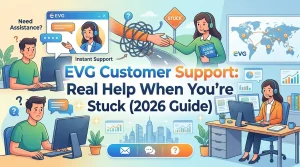
EVG Customer Support: Real Help When You’re Stuck (2026 Guide)
Nobody wakes up thinking, “You know what? I really hope I have to call customer support today.”
You’re here because something went sideways. Maybe a fine showed up that shouldn’t have. Maybe the website crashed right when you hit “pay.” Maybe you’ve been trying to renew something for three days, and all the system gives you is a big, useless “error.”
Frustrating? Absolutely. No argument there.
The good news? EVG support can actually help. You just need to know how to reach them, what to say, and what to have ready.
Let’s get into it.
Before You Call, Can You Fix It Yourself?
We know you’re frustrated. But take a breath and try a few things first. You might save yourself a long hold time.
Clear your browser cache
Sounds too simple, right? But you’d be surprised how many problems just vanish after this. Old data messes with websites. Clear it out. Try again.
Try a different browser
Chrome being stubborn? Switch to Edge. Safari acting up? Try Firefox. Sometimes it’s not you. It’s the browser.
Use the app instead
The EVG website can be glitchy on mobile. The official app sometimes works better. Download it if you haven’t already.
Wait 24 hours
This one hurts, I know. But some things just take time. Fines. Payments. System updates. If you just paid or just got a fine, give it a day. Check again tomorrow.
Double-check your details
Wrong plate number? Expired Emirates ID? Typo in your traffic file number? One wrong digit and the system shows nothing. Double-check everything.
Still stuck?
Okay. Now it’s time to call. And we’ll tell you exactly how to do that.
EVG Customer Support: The Details You Actually Need
Alright. You’ve tried the basics. Still stuck. Time to reach out.
Here’s exactly how to contact EVG support. Save this somewhere. You never know when you’ll need it.
Phone: The Fastest Way
Number: 600588888
This is the official EVG helpline. Call this if:
- Your issue is urgent
- You need help right now
- You’ve tried everything, and nothing works
Best time to call: Sunday to Thursday, 8:00 AM to 10:00 AM. Lines are quietest then. Avoid lunch hours (1:00 PM to 3:00 PM). That’s when everyone else calls.
What to expect: You’ll wait. Sometimes 5 minutes. Sometimes 20. Depends on the day. Have your details ready.
Email: Good for Non-Urgent Stuff
Address: contact@evg.ae
Use email if:
- Your issue isn’t urgent
- You need to send screenshots or documents
- You want a written record of everything
Response time: 2 to 5 working days. Be patient. They get a lot of emails.
Pro tip: Use the template we’ll give you later. It gets faster responses.
In Person: For the Complicated Stuff
Location: Ministry of Interior, Abu Dhabi, W56 Al Rawdah, First Street
Visit if:
- You need official documents
- Your issue is too complex for phone or email
- Nothing else has worked
Before you go: Call first. Make sure they can actually help with your specific issue. Saves a wasted trip.
What to bring: Emirates ID, all relevant documents, screenshots, and a whole lot of patience.
EVG Portal: Try This First, Actually
Website: www.evg.ae
The portal can handle most things without you talking to anyone:
- Check fines
- Pay fines
- View vehicle details
- Submit service requests
Service requests: You can open a support ticket right on the portal. You get a reference number immediately. It’s trackable. Often faster than email.
Quick Reference
| Method | Details | Best For |
| Phone | 600588888 | Urgent issues |
| contact@evg.ae | Non-urgent, sending docs | |
| In Person | MOI, Abu Dhabi | Complex cases |
| Portal | www.evg.ae | Self-service, tracking |
One last thing: Save these details now. Put them in your phone. You’ll thank yourself later.
And if you’re calling because you’re frustrated? Take a breath before you dial. The person on the other end will be more helpful if you’re calm.
What to Have Ready Before You Call
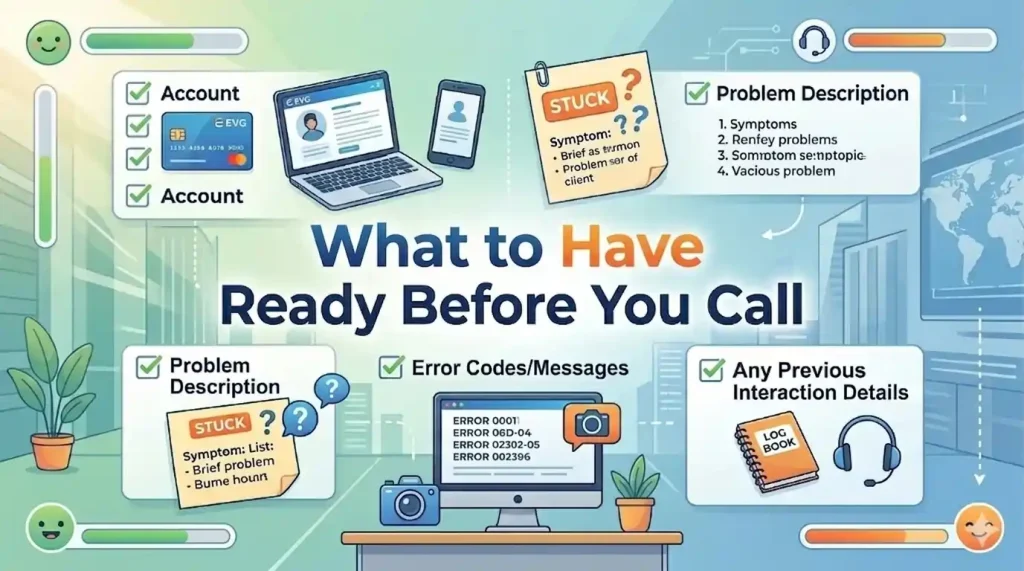
Nothing is worse than finally reaching a human and realizing you don’t have the information they need.
You’re on hold. Music is playing. Heart racing a little. Then someone picks up and asks for your Emirates ID, and you’re like, “Uhh, hold on, let me find my wallet.”
Don’t be that person.
Here’s what to have handy before you dial:
Emirates ID number
This is the big one. They’ll ask for it first. Have it in front of you. Not in another room. Not in your bag. Right there.
Plate number
If your issue is about a vehicle or a fine, they’ll need this. Write it down. Even if you think you know it by heart. Stress makes people forget things.
Traffic file number
Not everyone has this. But if you do, keep it ready. It speeds things up.
Fine reference number
Disputing a specific fine? Have that number. It’s on the fine notice. Without it, they’ll have to search, and that takes longer.
Screenshots of error messages
This is gold. If the website showed an error, take a picture. When you explain it to support, you can say exactly what it said. No guessing.
Payment receipts
Did money leave your account, but the fine didn’t clear? Have that receipt. Bank statement. Screenshot. Something.
Pen and paper
Old school, but it works every time. Write down what they say. Write down reference numbers. Write down the next steps.
Charged phone
Obvious, but easy to forget. Nothing is worse than your phone dying mid-call.
Quick Checklist: Tick These Off Before You Call
- Emirates ID number
- Plate number (if it’s a vehicle issue)
- Traffic file number (if you have it)
- Fine reference number (if disputing)
- Screenshots of any errors
- Payment receipts (if money was taken)
- Pen and paper
- Phone charged
- A quiet place to talk
A Pro Tip: Lay everything out on a table. Spread it all in front of you. Then call. When they ask for something, it’s right there. No fumbling. No “Can you hold on?” Just instant answers.
The call will take half the time. You’ll feel like a pro. And the support person? They’ll appreciate you.
What to Say When You Call: A Simple Script
Let’s be honest. Calling support can be nerve-wracking.
You’re already frustrated. Now you have to explain your problem to a stranger. And what if you forget something? What if they don’t understand?
Relax. Here’s exactly what to say.
The Script
You: “Hello, I need help with [your issue].”
Keep it simple. Don’t tell your life story yet.
Them: “Can I have your Emirates ID number, please?”
You: “[Give number slowly and clearly]”
Say it like this: 784-1990-1234567-1. Pause between groups to allow them to type.
Them: “And what exactly is the problem?”
You: “I tried to [pay a fine / renew my Mulkiya / check my license] on [date]. The website showed [describe error or problem].”
Example: “I tried to pay a fine yesterday around 3 PM. The payment went through on my bank app, but the fine still shows as unpaid on EVG.”
Them: “Have you tried anything to fix it?”
You: “Yes, I cleared my browser cache, tried a different browser, and waited 24 hours. Still the same.”
This is important. It shows you’re not wasting their time.
Them: “Let me check. Can you hold for a moment?”
You: “Yes, thank you.”
Wait patiently. Don’t hang up.
Them: [Returns with solution or asks for more details]
You: [Write down everything they say. Ask for clarification if needed.]
You: “Can I get a reference number for this call?”
Always ask for this. It proves you called if the issue isn’t resolved.
Them: “Yes, your reference number is [number].”
You: “Got it. Thank you for your help.”
Them: “Is there anything else I can help with?”
You: “No, that’s all. Have a good day.”
What If You Don’t Understand Something?
Don’t pretend. Just say:
You: “I’m sorry, I didn’t quite catch that. Can you explain it again?”
Or:
You: “Can you repeat that more slowly?”
Perfectly normal. They deal with this all day.
What If They Can’t Fix It?
Stay calm. Ask:
You: “Is there someone else who can help with this? A supervisor or another department?”
You: “What’s the next step if this isn’t resolved?”
You: “Can you tell me how long this usually takes to fix?”
A Few Pro Tips
- Be polite. Always. The person on the other end didn’t cause your problem. Kindness gets you better help.
- Speak clearly. Not too fast. Not too slow. Like you’re talking to someone who types while listening.
- Take notes. Write down names, reference numbers, and what they told you to do.
- Repeat back. “Just to confirm, you said I need to email my receipt to contact@evg.ae and wait 48 hours. Is that right?”
One Last Thing: You’ve got this. Thousands of people call EVG support every month. You’re not the first with your problem. You won’t be the last.
Be prepared. Be clear. Be patient.
The fix is coming.
Common Problems And How EVG Support Can Actually Help
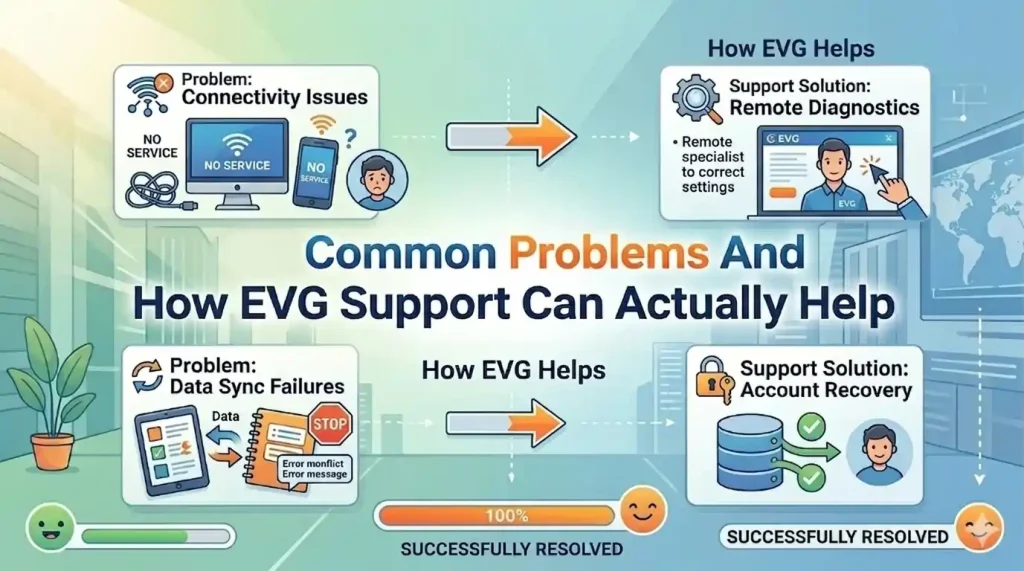
Everyone’s situation feels unique when you’re in the middle of it.
But trust me, support has seen your problem before. Probably a hundred times. Here’s what they can actually do for the most common issues.
Problem 1: A Fine Shows Up Incorrectly
You check EVG, and there’s a fine that doesn’t make sense. Wrong amount. Wrong date. Or a fine you’re sure you already paid.
What support can do:
They can pull up the official record from the Ministry of Interior. They’ll verify if the fine is real and accurate.
If you’re buying a used car, always check for unpaid fines before completing the purchase; they can become your responsibility.
If it’s a system error, they’ll guide you through the dispute process. They can’t cancel it themselves, but they’ll tell you exactly how to get it reviewed.
What you need: The fine reference number, your Emirates ID, and any proof you have (like old payment receipts).
Problem 2: Payment Failed, But Money Left Your Account
Worst feeling. You tried to pay. The website crashed. Your bank says the money is gone. EVG says the fine is still there.
What support can do:
They can check if the payment is pending in the system. Sometimes it’s there, just not showing on your end.
If it’s not in the system, they can provide official confirmation that the payment wasn’t received. You’ll need this for your bank to reverse the transaction.
What you need: A bank statement showing the deduction, a screenshot of the error, and the date and time of the payment attempt.
Problem 3: Can’t Log in With UAE PASS
You tap. You scan. Nothing. The app just spins or gives an error.
What support can do:
They can check if your UAE PASS is properly linked to your traffic file. Sometimes accounts get disconnected during updates.
They’ll guide you through re-linking or troubleshooting the app. If it’s a bigger issue, they’ll tell you where to go in person.
What you need: your Emirates ID and patience (this can take a few minutes on the phone).
Problem 4: A Fine Isn’t Showing Up Online
You know you got a fine. The text message came. But when you check EVG, nothing shows.
What support can do:
They can verify if the fine exists in the system. Sometimes there’s a delay between the violation and its appearance online.
If it’s been more than a week, they’ll investigate why it’s not showing and help you access it.
What you need: The fine reference number from the text message or police report.
Problem 5: License Shows Expired, But It Isn’t
You renewed. You have the receipt. But EVG still says expired.
What support can do:
They can check if the renewal was processed properly. Sometimes renewals get stuck in pending status.
They can push the update manually or tell you what’s missing.
What you need: Renewal receipt, Emirates ID, license number.
Problem 6: Website Errors During Payment
You click pay. Error. Try again. Error. Different card. Still an error.
What support can do:
They can report the technical issue to the website team. They can also suggest alternative payment methods; sometimes paying through the app works when the website doesn’t.
What you need: A screenshot of the error and details of what you were trying to pay.
Problem 7: Black Points Aren’t Updating
You got a violation months ago. Points should be there. But your record still shows zero.
What support can do:
They can check if the points were actually applied. Some violations take time. Some get delayed between Emirates.
They’ll explain the timeline and, if something’s wrong, guide you on fixing it.
What you need: violation details, date, and location.
Quick Reference
| Problem | What Support Can Do | What You Need |
| Wrong fine | Verify it, guide you through a dispute | Fine number, ID, proof |
| Payment failed | Check the status, provide proof for your bank | Bank statement, screenshot |
| Can’t log in | Troubleshoot your account | Emirates ID |
| Fine, missing | Verify it exists | Fine reference |
| License expired wrong | Check renewal status | Receipt, ID |
| Website errors | Report it, suggest alternatives | Error screenshot |
| Black points missing | Check the records | Violation details |
One honest truth: Support can’t fix everything instantly. Some things take time. Some need other departments. But they can always tell you: What’s happening? How long might it take? What you need to do next
Sometimes that’s all you really need.
Email Support: How to Get a Fast Response
Sometimes calling isn’t the best option.
Maybe you’re at work and can’t talk. Maybe your issue needs documents attached. Maybe you just hate phone calls. No judgment.
Email works. But only if you do it right.
When to Use Email
Good times to email:
- Your issue isn’t urgent
- You need to send screenshots or receipts
- You want everything in writing
- You’ve already called and need to send follow-up documents
Bad times to email:
- It’s an emergency
- Your fine deadline is tomorrow
- You’re leaving the country in 48 hours
If it’s urgent, call. Email takes days.
How Long Does Email Take?
Here’s a realistic timeline:
- 2 to 5 working days for a first response
- Longer if your email is missing information
- Much longer if you send a vague message; they have to chase
The clearer your email, the faster they can help.
The Email Template: Copy and Paste This
Use this exact format. It covers everything they need.
Subject: Support Request – [Brief Description] – [Plate Number or File Number]
Example: Support Request – Payment Failed – Plate A12345
Body:
Dear EVG Support Team,
I’m writing because I’m having an issue with [describe the problem in one sentence].
My Details:
- Emirates ID: [your number]
- Plate Number: [if relevant]
- Traffic File Number: [if you have it]
- Fine Reference Number: [if disputing a specific fine]
What Happened:
[Explain clearly. Include dates, times, and what you were trying to do.]
Example: On March 15, 2025, at around 3 PM, I tried to pay a traffic fine (reference number F123456) through the EVG website. The payment page showed an error after I confirmed, but my bank statement shows the money was deducted.
What I’ve Tried:
- Cleared my browser cache
- Tried a different browser
- Waited 24 hours
- Tried again
Attachments:
- Screenshot of the error message
- Bank statement showing the payment
- Screenshot of the fine notice
- Any other relevant documents
What I Need:
[Be specific about what you want.]
Example: I need confirmation that my payment was received, or official proof that it wasn’t, so I can dispute it with my bank.
Please let me know if you need any more information. I look forward to your response.
Thanks,
[Your Full Name]
[Your Phone Number]
Why This Template Works
- Clear subject line: They know what it’s about immediately.
- All details upfront: They don’t have to email back asking for your ID.
- What you tried: It shows you’re not wasting their time.
- Attachments listed: It reminds you to actually attach them.
- Specific request: They know exactly what you want.
Common Email Mistakes to Avoid
Mistake 1: A vague subject line
“Help” or “Problem,” these get ignored longer. Be specific.
Mistake 2: No ID number
They can’t help without it. Include it in the first paragraph.
Mistake 3: Forgetting attachments
You mention a screenshot, then forget to attach it. Now they have to email back. Days lost.
Mistake 4: Emotional rants
“I’ve been trying for WEEKS, and this is RIDICULOUS, and I’m going to COMPLAIN…”
They get these all day. Stay calm. Clear facts get faster help.
Mistake 5: Asking for things they can’t do
“Please cancel this fine.” They can’t. Know what they can actually help with.
After You Send
Wait 2 to 3 working days before following up.
If you haven’t heard back, reply to your own email. Keep the thread going. Don’t start a new one.
Just say, “Following up on this request. Any update?”
A Pro Tip: Save your email as a draft before sending. Read it tomorrow with fresh eyes. You’ll catch mistakes.
Then send. And wait. Help is coming.
How Long Does Support Take?
Everyone asks this. Fair question.
The answer depends on how you reach out. Here’s the honest breakdown so you know what to expect.
Phone: The Fastest Option
If you call during quiet hours (early morning), you’ll usually get through in 5 to 15 minutes.
Peak times? Could be 30 minutes or more. Lunch hours and late afternoons are busy.
The call itself: Once you’re through, most issues take 10 to 20 minutes to resolve. Simple stuff is faster. Complex stuff is slower.
Pro tip: If you call and the wait is long, ask if there’s a callback option. Some systems let you keep your place in line and call you back. It saves you from holding the phone to your ear.
Email: Patience Required
Email is slower. But it’s better for complicated issues.
First response: Usually 2 to 5 working days.
Full resolution: Depends on the problem. Simple ones might be solved in one exchange.
Complex ones could take a week or more with back-and-forth.
What slows it down:
- Missing information (they have to ask you for it)
- Unclear descriptions (they have to guess)
- No attachments (they have to request them)
- Following up too soon (it resets your place in the queue)
What speeds it up: Using the template we gave you. Seriously. It works.
In Person: Same Day (Usually)
If you visit the Ministry of Interior in Abu Dhabi, you’ll be seen the same day.
Wait time: Anywhere from 15 minutes to 2 hours. It depends on:
- Time of day (mornings are quieter)
- Day of week (Sunday and Monday are busiest)
- Time of month (end of month is chaos)
Resolution: Most in-person issues get solved right there. You walk out with answers.
Pro tip: Go early. Like 8 AM early. Bring everything. Water. Snack. A charged phone. Treat it like a short trip.
Portal Service Requests: The Middle Ground
You can submit a service request right on the EVG portal. It’s like email but more official.
Response time: Usually 1 to 3 working days.
Bonus: You get a reference number immediately. It’s trackable. Professional.
Best for: Issues that don’t need attachments but aren’t urgent enough for a call.
Quick Reference
| Method | First Response | Full Resolution | Best For |
| Phone | 5-30 min wait | 10-20 min call | Urgent issues |
| 2-5 days | 3-10 days | Non-urgent, sending docs | |
| In Person | 15 min – 2 hrs | Same day | Complex cases |
| Portal | 1-3 days | 2-7 days | Trackable requests |
What Affects Speed
Time of year
Ramadan? Slower. Holiday weeks? Slower. August? Half the staff is on leave. Slower.
Day of week
Sunday and Monday are the busiest. Tuesday to Thursday is a bit quieter. Friday? Closed.
Complexity
“Can you help me log in?” Fast.
“I have 17 fines across three emirates, and I think some are duplicates, and also my license is blocked, and…” Slower. Much slower.
One honest truth: Support times in the UAE are generally good. Better than in many places.
But “good” doesn’t mean instant. These teams handle thousands of requests. Yours is one of many.
If you’re calm, prepared, and realistic about timing, the process feels much smoother.
If you’re stressed and demanding, it feels like forever.
Choose calm.
What If Support Doesn’t Fix It?
Sometimes the first contact doesn’t solve the problem.
Maybe they couldn’t help. Maybe they said they’d call back and didn’t. Maybe you tried everything, and the issue is still there.
Don’t give up. Here’s what to do next.
Step 1: Get a Reference Number
This is your secret weapon.
Every time you contact support, ask for a reference number. Write it down. Save it.
Why it matters: It proves you reached out. It gives them something to look up to. Without it, you’re just another person calling. With it, you have a history.
What to say: “Can I please have a reference number for this call?”
They’ll give you one. Always.
Step 2: Escalate Politely
If the first person can’t help, they might not be the right person.
What to say: “I understand this might need someone with more experience. Can this be escalated to a supervisor or another department?”
Say it nicely. Not angry. Just firm.
Supervisors have more authority. They can do things that regular staff can’t.
Step 3: Try a Different Channel
Didn’t get far on the phone? Try email.
Email ignored? Try the portal.
Portal stuck? Visit in person.
Different channels sometimes reach different teams. One might succeed where another failed.
Step 4: Contact the Right Authority
Sometimes EVG support isn’t the right place.
Your issue might need:
- RTA (Dubai) – Call 8009090
- TAMM (Abu Dhabi) – Call 800850
- MOI (Federal) – Call 8005000
- The specific police department where the fine was issued
How to know: Ask EVG support. “Is this something RTA handles instead?” They’ll tell you.
Step 5: Follow Up
If they promised to call back and didn’t, wait 2 to 3 working days. Then follow up.
By phone: “I spoke to someone on [date] about [issue]. They said they’d call back. I haven’t heard anything. Can you check?”
By email: Reply to your original thread. Don’t start a new one.
What to include: the reference number, the date of last contact, and a brief summary.
Step 6: Put It in Writing
If the issue is serious and nothing’s working, write a formal email.
Not angry. Just clear.
Include:
- A timeline of what happened
- The dates you contacted support
- The reference numbers you got
- What you’ve tried
- What you need
Send it to contact@evg.ae.
Copy it to feedback@moi.gov.ae if you think it’s necessary.
Step 7: Know When to Let Go (For Now)
Some issues just take time.
System updates. Investigations. Back-and-forth between departments.
If you’ve done everything right, contacted support, got reference numbers, and followed up, sometimes the only thing left is patience.
Check back in a week. Then another week.
Quick Escalation Checklist
- Got a reference number from the first contact
- Asked politely for escalation
- Tried a different contact method
- Contacted the right authority (RTA/TAMM/MOI)
- Followed up after the promised time
- Put everything in writing
- Gave it time
One honest truth: Most issues get resolved eventually. The ones that don’t? Usually, because someone gave up. Stopped calling. Stopped following up.
Don’t be that person.
Be polite. Be persistent. Be patient.
The fix is coming.
FAQs: Real Questions, Straight Answers
Is EVG customer support free?
Yes. Phone, email, and portal support are all free. You only pay for fines or services, not for help.
What’s the best time to call?
Early morning, Sunday to Thursday. 8 AM to 10 AM is the quietest. Avoid lunch hours (1 PM to 3 PM); that’s when everyone else calls.
Can EVG support remove fines for me?
No. Only traffic authorities can cancel fines. But they can explain why you got it, check if it’s correct, and guide you on how to dispute it properly.
I paid a fine, but it still shows online. What do I do?
Wait 24 to 48 hours first. Payments take time to update. If it’s still there after that, call with your payment receipt ready. They’ll check if it’s pending or if something went wrong.
Do I need to speak Arabic?
No. English support is available. Just ask when you call.
Can they help with Dubai-specific issues?
It’s limited. EVG is a federal system. For Dubai RTA issues (like Salik, Dubai fines, or Dubai plates), you may need to contact RTA directly at 8009090.
Always check your driving license status regularly to avoid surprises with black points or suspension.
How do I check the status of my email inquiry?
Reply to your original email thread. Don’t start a new one. Include your reference number if you have one.
What if I’m calling from outside the UAE?
The number 600588888 works internationally. But check the time zones, you’ll want to call during UAE working hours.
Can someone else call on my behalf?
Yes, but they’ll need your Emirates ID number and probably some authorization. It’s better if you call yourself.
How do I get a reference number?
Just ask. At the end of your call, say, “Can I please have a reference number for this conversation?” They’ll give you one. Write it down.
What if the line is busy?
Try again later. Or use email. Or try the portal. Sometimes calling first thing in the morning works best.
Can I visit in person without an appointment?
Yes, but calling ahead is smart. It saves you a wasted trip if they can’t help with your specific issue.
How long do I wait before following up on an email?
Give it 5 working days. If you haven’t heard back, reply to your original email with “Following up on this request.”
What’s the most common mistake people make?
Calling without having their Emirates ID ready. You’ll just sit there fumbling while they wait. Have it in front of you.
A Final Thought
Here’s the truth about customer support.
Nobody wakes up hoping to need it. You’re here because something went sideways. A fine that makes no sense. A payment that vanished. A website that just stares back at you with “error” and nothing else.
Frustrating Absolutely.
But here’s what I need you to know.
You’re not alone.
Every single person calling EVG support has been exactly where you are. Confused. Annoyed. Staring at their phone, wondering if anyone will ever pick up.
And here’s the thing: support helps. Not always instantly. Not always with a smile, you can see. But they get things fixed.
The secret is showing up ready.
Have your ID in hand. Know what you need. Explain clearly what happened. Write down the reference number. Follow up if you don’t hear back.
That’s it. That’s the whole trick.
No magic. Just being prepared.
So if you’re stuck right now, here’s what I need you to do.
Take a breath. You’ve handled harder things than this.
Gather what you need. Use the script. Send the email. Make the call, and if the first person can’t help? Politely ask for someone who can.
The fix is coming. It always does.