Salik Recharge 2026: Your Guide to Dubai Tolls
Driving around Dubai in 2026 is much easier when your Salik account is all set. With ten toll gates now open and a new pricing system that changes by the hour, keeping your balance topped up is the best way to avoid any hassle.
This guide covers the latest updates from the new gates on Al Khail Road to the free hours during Ramadan 2026. We have put together the simplest ways to recharge your tag so you can spend less time thinking about tolls and more time enjoying the drive.
What Is Salik? (The 2026 Variable Pricing System)
Salik is Dubai’s electronic toll system. It uses a small tag on your car to charge you each time you pass through a toll gate. In 2026, the price of each crossing now depends on the time of day. The goal is to reduce traffic in the UAE during the busiest hours.
- Peak Hour Rate (AED 6): This rate applies from Monday to Saturday during the busy windows of 6:00 AM–10:00 AM and 4:00 PM–8:00 PM.
- Off-Peak Rate (AED 4): You pay this lower fee during quieter times, midday, late at night, and all day on Sundays.
- The Free Window: Driving late at night? Every Salik gate is completely free daily from 1:00 AM to 6:00 AM.
Every Way to Recharge Salik in Dubai
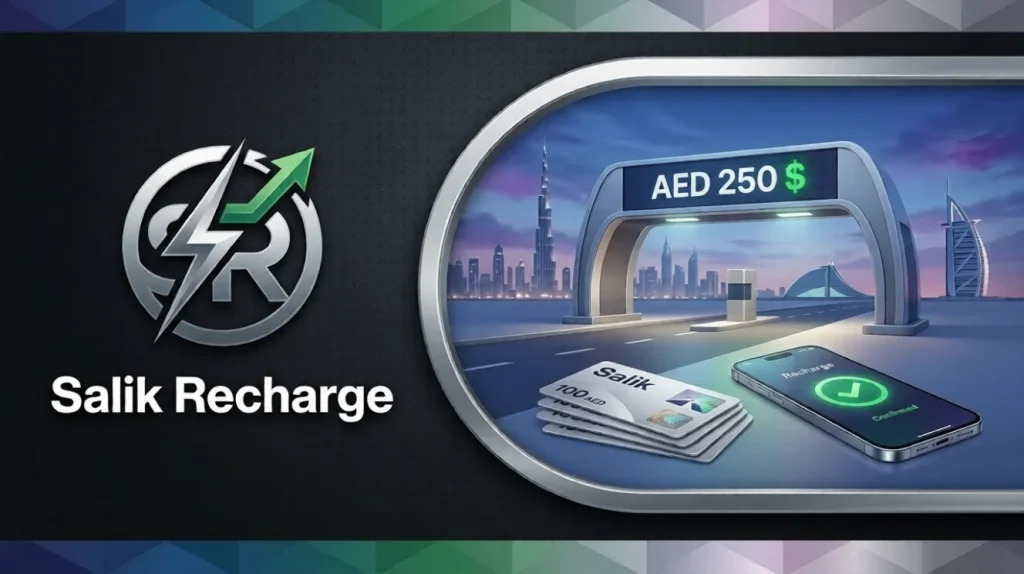
There are plenty of ways to add credit to your account. You can use government apps or send a simple text message. Most Dubai drivers now pick digital methods because they update their balance right away. This helps you avoid any fines.
- Smart Ecosystem: Integration with UAE Pass creates a more seamless recharge experience. Logging in and paying are now faster and more secure, removing unnecessary steps from the process.
- Automation: You can also set up auto top-up. The account will automatically recharge whenever your balance gets low, so you don’t need to remember to recharge it yourself.
Official Digital Channels (App & Web)
For money to reach an account without delay, official channels are the best option. These platforms keep payment details safe while offering a simple experience. The process is designed to be clear and hassle-free.
The Smart Salik App & UAE Pass
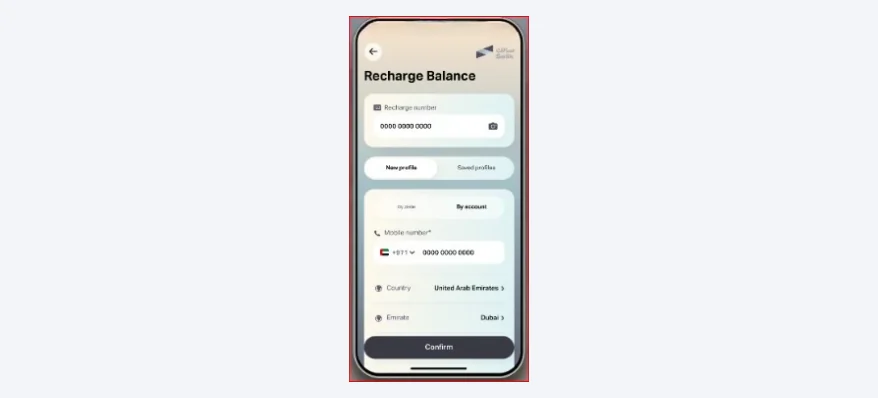
Many drivers now prefer the official Salik app. Managing multiple cars from a phone is easy with this tool. It provides a fast, secure way to handle tasks on the go.
- After downloading and opening the app, simply tap the login button on the main screen.
- Select the UAE Pass option to sign in instantly using your phone’s Face ID or fingerprint.
- Then, move to the “Recharge” tab and select the “ePay” option to use a credit or debit card.
- Type in the amount you’d like to add, confirm the payment, and that’s it. Your new balance will show up right away. If you have trouble accessing your dashboard, check our walkthrough on Salik login and account management.
The Salik Web Portal
Using a public computer or driving a rental car? No problem. The official website lets you add money without even logging in.
- Firstly, go to the official Salik website (salik.ae) and find the “Quick Recharge” link.
- To make your payment, just pop in the car’s plate number. Don’t forget to double-check the emirate and plate code.
- The next step is to drop your mobile number; you’ll receive a text as soon as everything is finalized.
- After entering your card details, simply tap the pay button, and your account will be updated in a flash.
Government Super-Apps (DubaiNow & RTA)
No more switching between different apps and websites to handle your car-related tasks. Dubai has made that possible with its powerful “super-apps.” Almost everything can be managed from one convenient place. Think of them as a personal assistant for navigating life in Dubai, especially when on the road.
RTA Dubai App Integration

You never knew you needed the RTA Dubai app until you use it. Think of it as your own personal driving assistant. You can renew your registration, top up parking credit, and check your Salik balance, all from the same place. There is no need to jump between apps or websites.
- First, open the RTA Dubai app and look for the “Salik” icon on your dashboard
- Enter your account or plate info to see your current credit and your recent gate crossings.
- Tap the “Top Up” button, then choose your preferred credit card or digital wallet for payment.
- You can review your trip history to spot patterns. If you pass through gates during peak hours, try planning smarter routes.
Dubai Now App
The DubaiNow app takes convenience to a whole new level. Residents love that it lets them pay their car tolls at the same place they pay their DEWA and phone bills. It just makes life simpler when everything is connected.
- Open the DubaiNow app on your smartphone and navigate to the “Driving” category.
- Next, select the “Salik” option, then enter your tag number or your vehicle’s account details.
- Next, pick the amount you’d like to add and complete the payment using your linked bank account or card.
- To avoid any surprises, you can enable “Low Balance” alerts. The app will then let you know whenever your balance drops below AED 30, so you’re never caught off guard.
Mobile Banking and Digital Wallets
It’s much easier to keep an eye on your spending nowadays. Road tolls, for instance, have their own dedicated section in most UAE banking apps. If you prefer to move money straight from your savings without using a card, this is often the quickest way.
Recharging via UAE Bank Apps
Most local banks have added Salik to their apps, so you can pay for tolls without leaving your banking screen.
- To get started, open your bank’s app, whether it’s Emirates NBD, ADCB, Mashreq, or FAB and look for the Salik section right from the main menu.
- Then head over to the “Bill Payments” menu and tap the Salik logo in the list of available services.
- From there, simply add your Salik account number, type in the amount, and that’s it—you’re all set.
- Confirm the transaction, and the money will be moved instantly from your bank to your toll tag.
Payit & Careem Pay
Digital wallets like Careem Pay have become a favorite for quick recharges because they are built right into your everyday apps.
- Open your Careem or Payit app, then tap the “Bills and Recharges” button.
- Select “Salik” from the list, then enter your account details to link your car for the first time.
- Go ahead and choose how much you want to add. Payment is taken straight from your digital wallet balance.
- Keep an eye out for special cashback rewards; these wallet apps often offer them when you recharge your toll account, so it pays to check.
Recharging Salik with a Salik Card
For anyone who prefers cash or simply wants a physical backup, the classic Salik card is still a solid choice and is available just about everywhere across the UAE.
Recharging Salik by SMS
You can recharge your balance by sending a simple text message from any mobile phone once you have a physical card.
- Purchase a Salik card and scratch the silver film to reveal the 12-digit recharge number.
- Draft a new SMS to the number 5959 on your phone.
- Format the message as: R * 12-digit card number * Salik account number * Salik PIN.
- Once you’ve sent the message, you will receive a confirmation text that your account has been credited.
Banks, ATMs, & Smart Kiosks
When you’re at a mall or government center, using a Smart Kiosk is an easy option to add funds with cash or a card.
- Simply locate an RTA Smart Kiosk, tap the “Salik” button on the multilingual touchscreen.
- Enter your vehicle plate number or simply hold your Salik tag up to the barcode reader.
- You can pay by inserting cash into the machine, or simply swipe your bank card if you prefer.
- Take your printed receipt and wait for the balance update notification to arrive on your phone.
New for 2026: The 10-Gate Network
Dubai’s toll network has grown to ten operational gates to help manage the city’s increasing traffic volume this year. These gates are placed in smart locations to help distribute cars more evenly across the city’s main corridors.
- New Entities: The newest gates are the Business Bay Crossing on Al Khail Road and Al Safa South on Sheikh Zayed Road.
- The One-Hour Rule: If you pass two linked gates (like Al Mamzar North and South) within 60 minutes, you only pay once.
Ramadan 2026: Special Timings & Discounts
During the Holy Month, the RTA is adjusting Salik toll hours to reflect the shorter workday and evening prayer schedules. These temporary shifts give residents more free travel hours, especially early in the morning for Suhoor.
- Peak Hour Shift: During Ramadan 2026, the AED 6 peak rate applies during a single block from 9:00 AM to 5:00 PM.
- Sunday Rule: Sundays keep things simple with a flat AED 4 rate for most of the day. The only exception is during those early morning free hours, so if you’re driving between 2 AM and 7 AM, you won’t pay a thing.
- Early Morning Free Hours: If you’re driving late at night or early in the morning, you can pass through any Salik gate for free from 2:00 AM until 7:00 AM.
Green Incentives: Free Salik for Electric Vehicles
If you drive an electric vehicle, here’s some good news. You can enjoy free Salik tags as part of the city’s push to encourage sustainable transport. While you still pay for each toll crossing, the government has made it much more affordable to register your car.
- Free Tag: Every new electric car is eligible for a free Salik tag, saving you the standard AED 100 setup fee.
- Free Parking: Registered EVs also get up to four hours of free parking in many designated zones across the city.
Avoiding Fines: Grace Periods & Automation
We can all agree that an unexpected fine is one of the most annoying surprises. The good news is that the system gives you a fair chance to fix things before it gets to that point, as long as you pay attention to that low-balance alert.
- The 5-Day Rule: If you happen to go through a gate with zero balance, don’t panic. You have five working days to top up and avoid the penalty altogether.
- Auto-Recharge: The easiest trick is to just link your credit card. Set it once, and it will automatically reload your account whenever your balance dips below AED 30.
Salik Fees & Violation Breakdown
Staying on top of these amounts means you can keep your money where it belongs in your pocket. If you ignore the low-balance warnings from the RTA, these costs can add up quickly over a few days of commuting.
| Violation Type | Fine Amount (AED) | Frequency / Rule |
| Insufficient Funds (Low Balance) | 50 | Charged once per day per vehicle if not topped up within 5 working days. |
| Unregistered Plate (1st Trip) | 100 | Charged if the tag is not registered/activated within 10 working days of the first pass. |
| Unregistered Plate (2nd Trip) | 200 | Charged for the second time, you pass a gate without a registered account. |
| Unregistered Plate (3rd+ Trip) | 400 | Charged for every single pass thereafter until the plate is registered. |
| Tampering or Damage | 10,000 | For any fraudulent activity, tag manipulation, or damaging gate equipment. |
Conclusion: Smart Driving in 2026
Look, dealing with your Salik account in 2026 is just one of those small, everyday things in Dubai. The good news is, it’s totally simple, and once it’s set up right, it actually makes getting around the city way less of a headache. By using digital tools like the UAE Pass and setting up Auto-Recharge, you can focus on the journey rather than the fees. Drive safely, keep an eye on the peak-hour clocks, and always check EVG Fine Check for the latest UAE driving tips.
FAQs About Salik Recharge 2026
How can I recharge Salik online?
The fastest way is to use the Smart Salik app or the official website at salik.ae. You just need your car’s plate info and a credit card to finish the recharge in less than a minute.
How can I check my Salik balance?
You can check it instantly on the Smart Salik app or the RTA website. You can also call the toll-free number at 800-72545 if you have your account number and PIN ready.
Which day is Salik free?
Salik is not free for a full day, but it is free at night. Late-night drivers get a break: tolls are completely waived between 1:00 AM and 6:00 AM (or 2:00 AM to 7:00 AM when Ramadan begins).